Your phone buzzes, and you see a notification that reads Emphasized “see you at 8.” But there’s no new message or explanation. Does it mean your friend agrees with the plan, feels excited, or simply wants to acknowledge what you said?
If you’ve ever wondered about the emphasize text meaning, you’re not alone. This type of text reaction can be confusing, especially when an iPhone reaction appears as a plain text notification on an Android phone. What looks like an unusual message is often just someone’s way of highlighting a particular text or showing a quick response.
In this guide, you’ll discover what emphasize means in texting, why people use it, and how to interpret it in different conversations. We’ll also explain the difference between an emphasized text reaction and emphasizing words in your own messages using bold formatting, capital letters, or punctuation.
By the end, you’ll know exactly what an emphasized message means and how to respond without second-guessing it.
You may also find HMB Meaning in Text: 7 Easy Replies & Facts (2026) helpful if you want to explore this topic further.
Quick Definition
When someone emphasizes a text message on an iPhone, they react to it with a double exclamation mark, written as !!. It is one of the reactions in Apple’s Tapback feature. The emphasize text meaning is that the person noticed your message and wants to show it stands out, matters, or deserves attention.
Quick Answer
An emphasized message means the other person tapped the double exclamation mark on your text. It usually shows excitement, agreement, surprise, or a note that they saw it and it matters. It is a reaction, not a full reply, so no extra words are needed.

Where Does Emphasize Come From?
The word comes from iMessage, the messaging system in Apple’s Messages app. When you press and hold a message bubble, a small menu pops up. It offers a row of quick reactions called Tapbacks.
The classic set includes these options.
| Reaction | Symbol | What It Usually Means |
|---|---|---|
| Love | Heart | I love this |
| Like | Thumbs up | I agree or I got it |
| Dislike | Thumbs down | I do not agree |
| Laugh | Ha ha | That is funny |
| Emphasize | !! | This is a big deal |
| Question | ? | I am confused |
Apple names the double exclamation mark Emphasize. That is why you see the word on the screen. A person who taps it has emphasized your message.
You do not have to type a thing. One tap sends a small badge that sits on the corner of the bubble.
What Does an Emphasized Message Mean?
The reaction carries a few related meanings. Which one fits depends on the chat.
- Excitement. Your friend loved the news and wants to show it.
- Strong agreement. They are saying yes, exactly, or that is right.
- Surprise. The message shocked them in a good or neutral way.
- Importance. They want to mark a detail as worth remembering, like a time or a plan.
- Acknowledgment. They read it and want you to know, but they do not want to type a reply.
- Playful drama. They are teasing you with a loud reaction to a small thing.
- Warning or urgency. Now and then, it marks something that needs quick attention.
Because the symbol is so short, the meaning can feel loose. That is normal. A reaction is a quick nod, and context fills in the rest.
How It Looks on Different Phones
The look changes with the phone and the messaging setup.
On an iPhone or iPad. You see two exclamation marks in a small bubble attached to the corner of the original message. Tap and hold the message to see who reacted in a group chat.
On some Android phones. The reaction may not appear as a badge. Instead, you may get a separate line of text that says something like Emphasized “your message.” The words show up because the other phone cannot display the little icon the same way.
In group chats. The badge stacks with other reactions. You can see who tapped what by opening the reaction list.
For another useful perspective, check out IMK Meaning in Text: 7 Clear Uses & Replies (2026).
If you see that plain text line and you do not have an iPhone, do not worry. It is only an alert about a reaction. Nothing is wrong with your phone.
How to Emphasize a Message on iPhone
The steps are quick.
- Open the chat in Messages.
- Press and hold the bubble you want to react to.
- Tap the double exclamation mark in the menu.
That is it. The reaction appears next to the message right away. To change or remove it, press and hold the same message again and tap the reaction a second time to turn it off.
You can use it on text bubbles and on photos. A friend who sends a picture might get a quick !! that says wow.
When to Use the Emphasize Reaction
A few moments fit the double exclamation mark well.
- Big news. A friend announces a new job, a baby, or a trip.
- Plans you agree with. Someone suggests a time, and you want to say yes with extra energy.
- Important details. A boss shares a deadline, and you want to mark that you saw it.
- Funny shock. A friend tells a wild story.
- When you are busy. You want to acknowledge a message but cannot type.
It works best as a light reaction, not a replacement for a real answer. When someone asks a question, a reaction alone may not be enough.
When Not to Use It
A reaction can feel cold or confusing in some moments.
- Sad or serious news. A loud !! can feel wrong when someone shares bad news.
- Direct questions. If the other person asks you something, give a clear answer.
- Work messages that need confirmation. A boss may want a written yes.
- Messages where tone matters. A strong reaction might be read as sarcasm or alarm.
When in doubt, send a few words. A short I am so sorry, call me when you can beats a symbol every time.
Emphasize vs Other Tapbacks
Knowing the full set helps you pick the right one. Here is how they compare.
| Reaction | Best For | Might Be Misread As |
|---|---|---|
| Heart | Warm feelings, support | Romance, if the chat is flirty |
| Thumbs up | Agreement, okay | Cold or brief |
| Thumbs down | Disagreement | Rude or harsh |
| Ha ha | Humor | Mocking, if the topic is serious |
| !! | Importance or excitement | Alarm or anger |
| ? | Confusion | Doubt or disagreement |
The double exclamation mark sits in the middle. It is louder than a thumbs up and less personal than a heart. That makes it a handy choice when you want to show energy without saying much.
Is Emphasize Rude or Flirty?
Neither, on its own. It is a neutral reaction. In most chats, it shows interest and attention.
Still, context changes the feel. A !! on a date plan can sound eager. A !! on a text that says you are late can sound annoyed. If you cannot tell what someone meant, ask. A short what did you mean by the double exclamation marks? clears it up.
Tone cues help. If the sender usually jokes around, a !! is probably playful. If they usually write in short, serious lines, it may signal that they really want you to notice the message.
The Other Meaning: Emphasizing Words in a Message
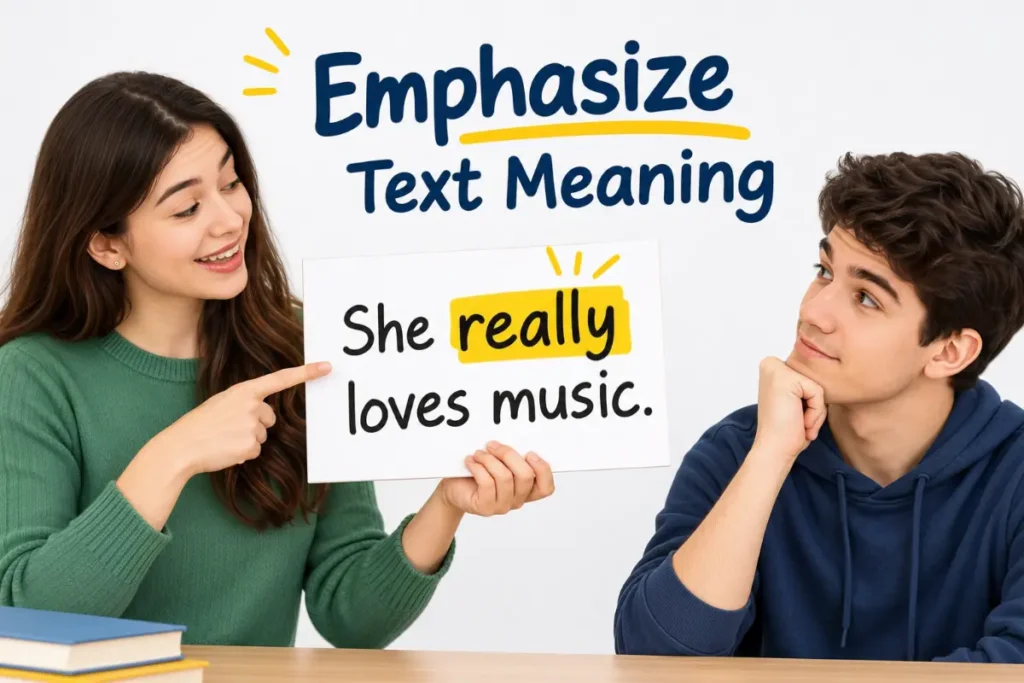
The word also has a wider meaning in everyday writing. To emphasize text means to make part of a message stand out so the reader notices it. In a chat, you cannot raise your voice or use hand gestures, so writers use small tricks.
| Method | Example | What It Shows |
|---|---|---|
| ALL CAPS | I said STOP. | Loud, urgent, or angry |
| Bold text | Do not forget | Important |
| Italics | I never said that | Stress on a word |
| Asterisks | no or no | A plain text way to stress a word |
| Repeated letters | sooooo good | Strong feeling |
| Extra punctuation | Really??? | Surprise or doubt |
| Emojis | Yes 🔥 | Energy |
Use these tools lightly. Too many capital letters can feel like shouting. Too many exclamation points can feel fake. A little goes a long way.
How to Emphasize Text on an iPhone Keyboard
If you want to stress a word in your own message, you have a few easy options.
- Type it in capitals. Fast and simple.
- Add asterisks. Type like this to show stress, a habit many people know from older chat apps.
- Stretch the word. Add extra letters to a key word.
- Use bold or italics in apps that allow it. In some iPhone apps, you can select text and choose a style from the menu.
Pick the method that matches your tone. A friendly note might use a stretched word. A serious message might use bold.
How to Reply to an Emphasized Message
You do not have to reply. A reaction is a complete response. But a small answer can keep the chat warm.
- Say thanks. Glad you liked it!
- Add detail. Yes, and I booked the table too.
- Match the energy. React back with a heart or a laugh.
- Ask a follow up. Does that time work for you?
If you got a plain text alert on Android, treat it like a thumbs up. A quick thanks is plenty.
Sample Chats
Examples show how the reaction works in real life.
Big news
Maya: I got the job!
Jordan: (emphasizes the message)
Jordan: I knew it! Dinner is on me.
Plans
Sam: Dinner at 7 tomorrow?
Riley: (emphasizes the message)
Riley’s reaction says yes with a bit of excitement.
Android alert
Alex’s phone shows: Emphasized “I will pick you up at 6.”
Alex: Great, see you then.
Alex reads the alert as a quick sign that the friend saw the plan.
Where Emphasize Works and Where It Does Not
Good fits:
- Texts with friends and family.
- Group chats where reactions keep things moving.
- Casual work chats among teammates.
- Messages that already have a clear plan or detail.
Poor fits:
- Serious or sad messages.
- Replies to direct questions.
- Formal notes where a written response is needed.
- Messages to people who use phones that may not show reactions clearly.
Emphasize in Group Chats
Reactions shine in group chats. A busy thread can fill up fast, and a long string of replies like same and yes gets noisy. A single !! saves space and still shows that you are paying attention.
Here is how it tends to play out.
- Planning events. When someone proposes a date, a few people tap the double exclamation mark to show they are in.
- Sharing news. A group member posts a big update, and the reactions pile up.
- Marking key details. Someone shares an address or time, and a teammate emphasizes it so others notice.
In a group, you can press and hold the message to see who reacted. That helps when you want to know who agreed and who is still quiet. It also helps a planner count heads without asking everyone to type.
How Reactions Changed the Way We Text
Before reactions, a simple message like dinner at 7? needed a typed answer. People wrote yes, okay, or sounds good, and each of those replies pushed the chat down the screen. Reactions made it possible to answer without adding more bubbles.
The change also shifted how people read tone. A thumbs up, a heart, or a double exclamation mark now carry feelings that used to need a sentence. That is helpful, but it has a cost. Reactions are short, so they can leave room for guessing. A single !! could mean thrilled or alarmed. That is why a quick follow up note can be worth the extra seconds, especially when the topic is personal.
Tips for Using Emphasize Well
- Pick the right moment. Use it for news and plans, not for pain.
- Follow up when it counts. If the message needs a real answer, write one.
- Keep it light. One !! can be fun. Five in a row can feel noisy.
- Know your audience. Some people love reactions. Others find them vague.
- Check your phone type. If a friend uses a different device, their view may look different.
A Quick Rule of Thumb
When you receive a double exclamation mark and you are unsure what it means, look at the message it sits on. If the message shares news, the reaction means excited. If it shares a plan, it means agreed. If it shares a detail, like a time or an address, it means noted. In almost every case, the message itself tells you what the reaction is saying.
If the message was a question and you got only a reaction, a gentle follow up is fine. Something like so is that a yes? gets you a clear answer without any fuss.
Common Mix Ups
- Thinking it means angry. Most of the time it is excited or approving.
- Thinking it is a typed message. It is a tap on a reaction.
- Expecting a reply. A reaction is already a response.
- Mixing it up with a red exclamation mark. A red mark next to a message means it failed to send, which is a very different thing.
- Assuming every phone shows it the same way. Android and iPhone views can differ.
One Last Tip
If you are ever unsure how a friend will take a reaction, add a few words. A heart, a double exclamation mark, or a thumbs up all work better with a short note. Something like so excited for you turns a quick tap into a warm moment, and it never leaves room for guessing.
FAQs
What is the emphasize text meaning on iPhone?
It means someone reacted to your message with the double exclamation mark Tapback. It shows they noticed it and found it exciting, important, or worth agreeing with.
What does emphasized a message mean on Android?
It is a text alert that says someone on an iPhone tapped the double exclamation mark on your message. It works like a quick reaction.
Is emphasize good or bad?
It is usually good or neutral. People use it to show excitement, agreement, or that they saw something important.
Do I need to reply to an emphasized message?
No. The reaction is already a reply. You can add a short note if you want to keep the chat going.
How do I remove an emphasize reaction?
Press and hold the same message, then tap the reaction again to turn it off. Or pick a different reaction.
What is the difference between emphasize and like?
A thumbs up shows quiet agreement. The double exclamation mark is louder and shows stronger feeling or importance.
Is a red exclamation mark the same as emphasize?
No. A red mark next to a message means it did not send. Emphasize is a reaction from another person.
Can I emphasize a photo?
Yes. You can press and hold a photo and pick the double exclamation mark, just like with a text bubble.
Before moving on, you may also want to read ASL Meaning in Text: 3 Clear Meanings & Replies (2026) for more helpful grammar tips.
Final Thoughts on Emphasize Text Meaning
Understanding the emphasize text meaning makes it easier to interpret the tone behind a message. Whether someone uses it to show excitement, acknowledge something important, or express agreement, this simple text reaction adds meaning without requiring a written reply.
Use it when responding to good news, exciting updates, or casual conversations where a quick acknowledgment feels natural. However, avoid relying on it when discussing serious topics or answering direct questions, as it may come across as unclear or dismissive.
If you want to emphasize text in your own messages, you can use bold formatting, capital letters, or stretched words to highlight important points and express emotion. Ultimately, understanding how emphasis works in texting helps you communicate more clearly, avoid misunderstandings, and make every message feel more natural.